

|
|
Membership
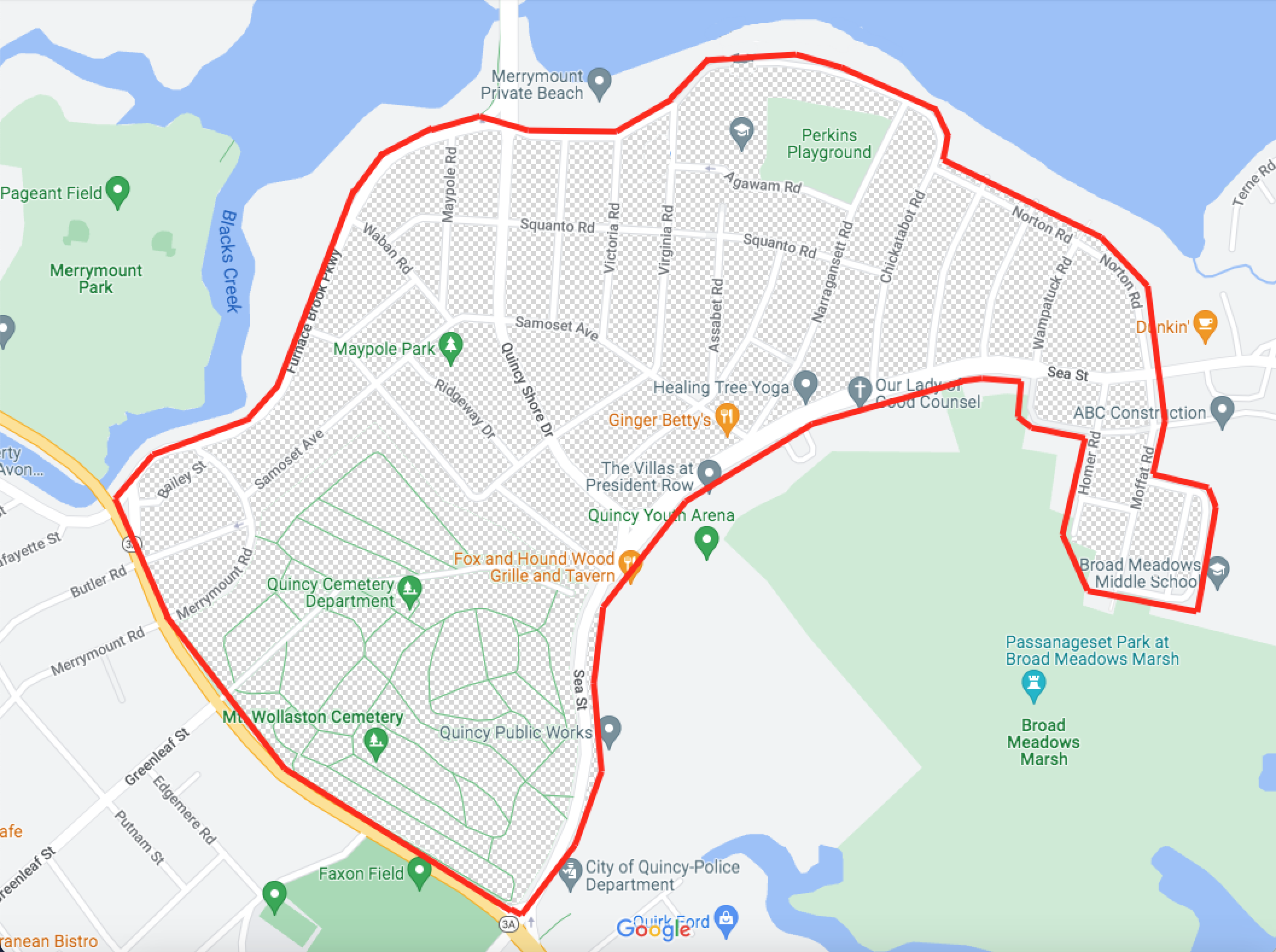
As established by the Merrymount Association's founding charter, Association membership is available for households within the below geographical boundaries. While we recognize that households outside of this area may want to obtain association membership, it is only available to residents within this area.
New member or new to the website? Click here to request an account.
You will be able to pay Membership dues online after your account has been confirmed.
Existing Member with online account?
Pay online here: look for the red notification in the top right of this website.
Prefer to pay by check?
New and existing members can Pay by check, fill out the form at the bottom of this page and send with check to:
Mark Sauter
11 Hobomack Road
Quincy, MA 02169
Please make checks payable to “Merrymount Association.”
For questions about memberships or the website reach out here: [email protected]
Online payment troubleshooting:
Once your account has been created and approved, you will need to save a "payment method" BEFORE attempting to pay your annual dues.
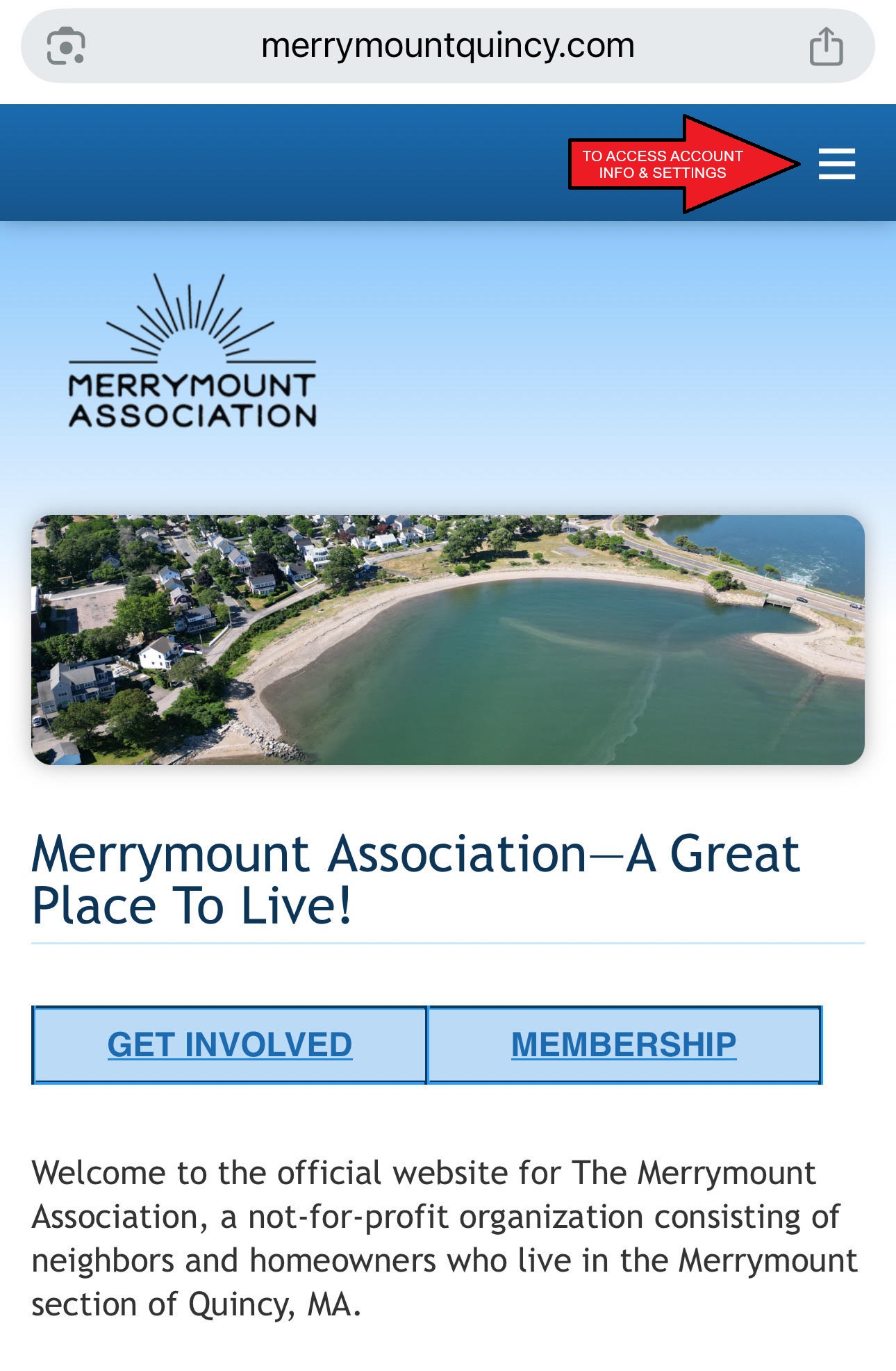
Simply login to your approved account using the email and password you created at the time of registration. In the upper right hand corner, click on the three stacked lines.
Next, click on the “Stored payment methods” link (STEP 1 in picture below) & save your credit/debit card or bank account information (see separate instructions below).
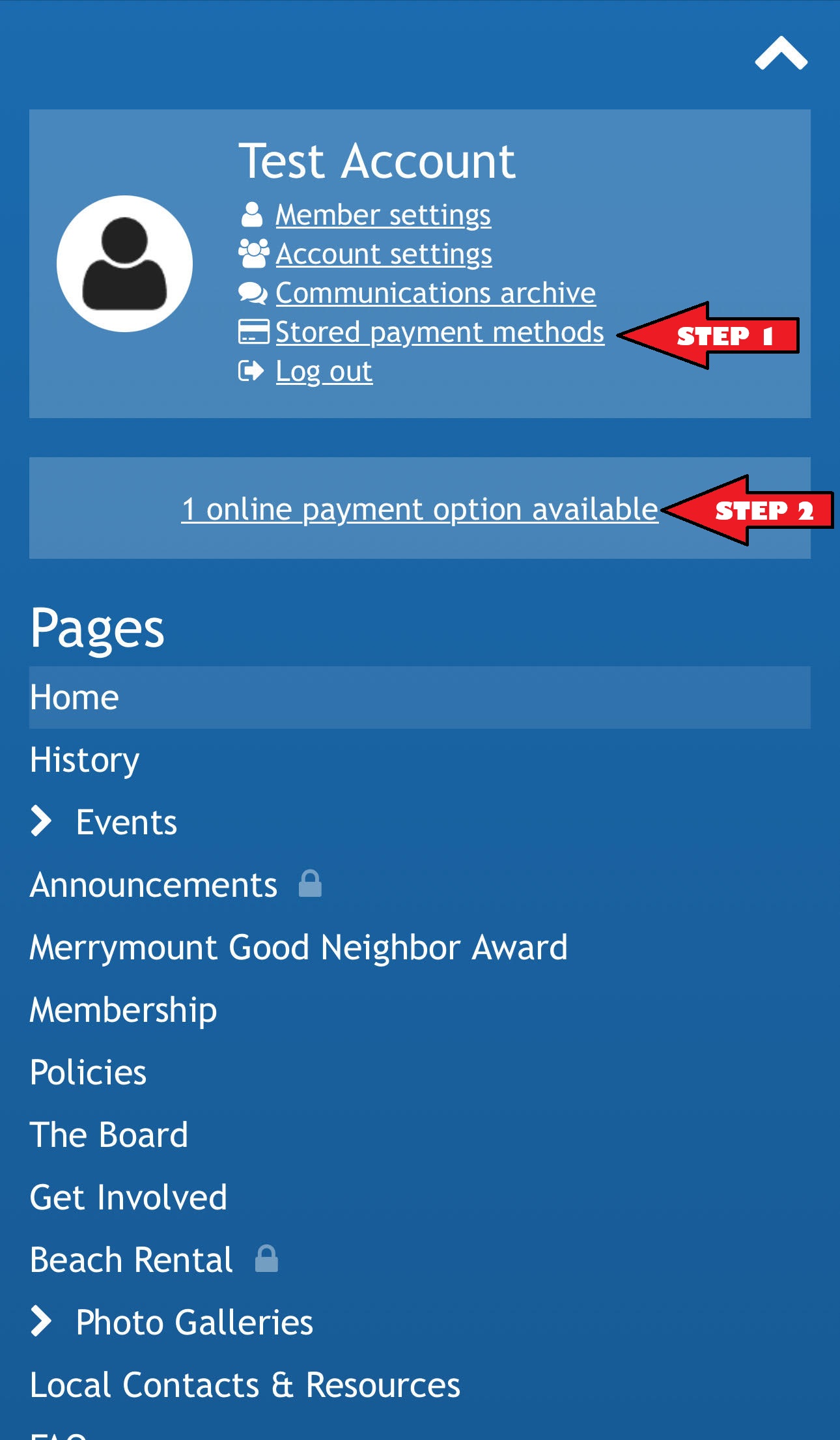
Once your payment method has been successfully saved (and processed), please continue to “Step 2” (in picture above) by clicking on the “1 online payment option available” link. Use the form to fill out your information and under payment, please use the saved payment method you completed in “Step 1”.
If you are still having trouble figuring out how to pay, please email us as at [email protected]. Finding the payment button can be tricky but it can be found at the top right corner of the website (when using a laptop or desktop) usually with a "red dot" notification next to your account name.
We’re here to help and ensure that you have a smooth and enjoyable experience.
Online Payment Instructions for “Payment Methods”:
Credit/Debit Card - The account holder must save a credit/debit card as a payment method first. Please do this by using the drop down on your name in the upper right hand corner and clicking on "Stored Payment Methods". Once a credit/debit card payment method is saved (and verified), please wait aprox 5 minutes for it to process through the system. One the time has elapsed, please log out and log back in. You should see a “bell” notification next to the account holder's name in the upper right hand corner. This should be an alert/notification that a new online payment is available. Please proceed to pay your annual dues.
Bank Account - The account holder must add the bank account to be stored by using the drop down on your name in the upper right hand corner and clicking on "Stored Payment Methods". Once your bank account has been successfully saved, please use the link provided below to verify the (bank) account. Once The bank account is verified, you should be able to submit the payment without an issue! Instructions for verifying his account can be found in this article: Verifying bank accounts.
Thank you for being an integral part of our community. We’re excited to continue building a vibrant and connected neighborhood together!
Warm regards,
The Merrymount Association Team
| File | Uploaded | |
|---|---|---|
Pages
- Home
- History
- Events
- Merrymount Events
- Upcoming Events
- Calendar
- Announcements
- Merrymount Good Neighbor Award
- Membership
- Policies
- The Board
- Get Involved
- Banner Posting Request Form
- Beach Rental
- Photo Galleries
- Merrymount 100-Year Bash
- Beach Improvements
- Local Contacts & Resources
- FAQs
- Merrymount Directory
- Merrymount Pets
- Contact Us
- Merrymount Classifieds
- Shack
- Donations